Introduction to AccessMate
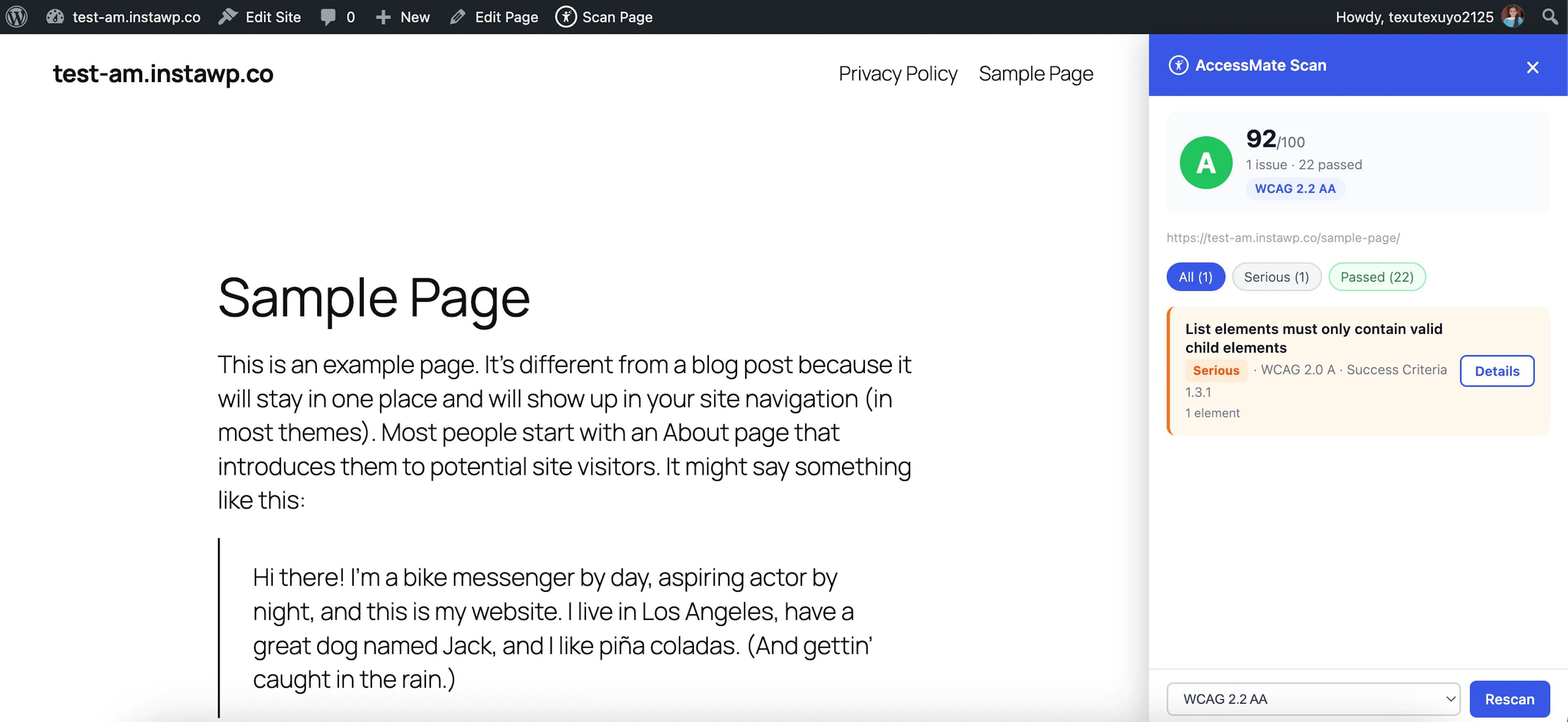
AccessMate is an AI-powered accessibility checker for WordPress. It helps you find and fix accessibility issues on your site so that more people — including those using screen readers, keyboard navigation, or other assistive technology — can actually use it.
Rather than just handing you a technical checklist, AccessMate combines automated scanning with AI assistance: it finds the issues, explains what's wrong in plain language, and helps generate the actual fix — whether that's writing appropriate alt text for an image or suggesting a corrected piece of markup.
AccessMate works across three parts of your site:
- A dashboard where you review your site's overall accessibility health — scores, trends, and a breakdown of issues by page.
- An on-page inspector you can open while browsing your own site, to check and fix issues on whatever page you're currently viewing.
- A visitor-facing toolbar that lets your site's visitors adjust things like contrast, font size, and reading aids to suit their own needs.
Scans are measured against WCAG 2.1 AA, the widely-adopted standard for web accessibility, so the issues AccessMate surfaces map to criteria used in accessibility audits and legal compliance requirements. Each page is scored and graded, and issues are grouped by the kind of barrier they create — perception, navigation, comprehension, or compatibility with assistive technology — so you can prioritize what matters most.
AccessMate is free to use. The AI-assisted features run on an AI provider of your choice, connected with your own account.