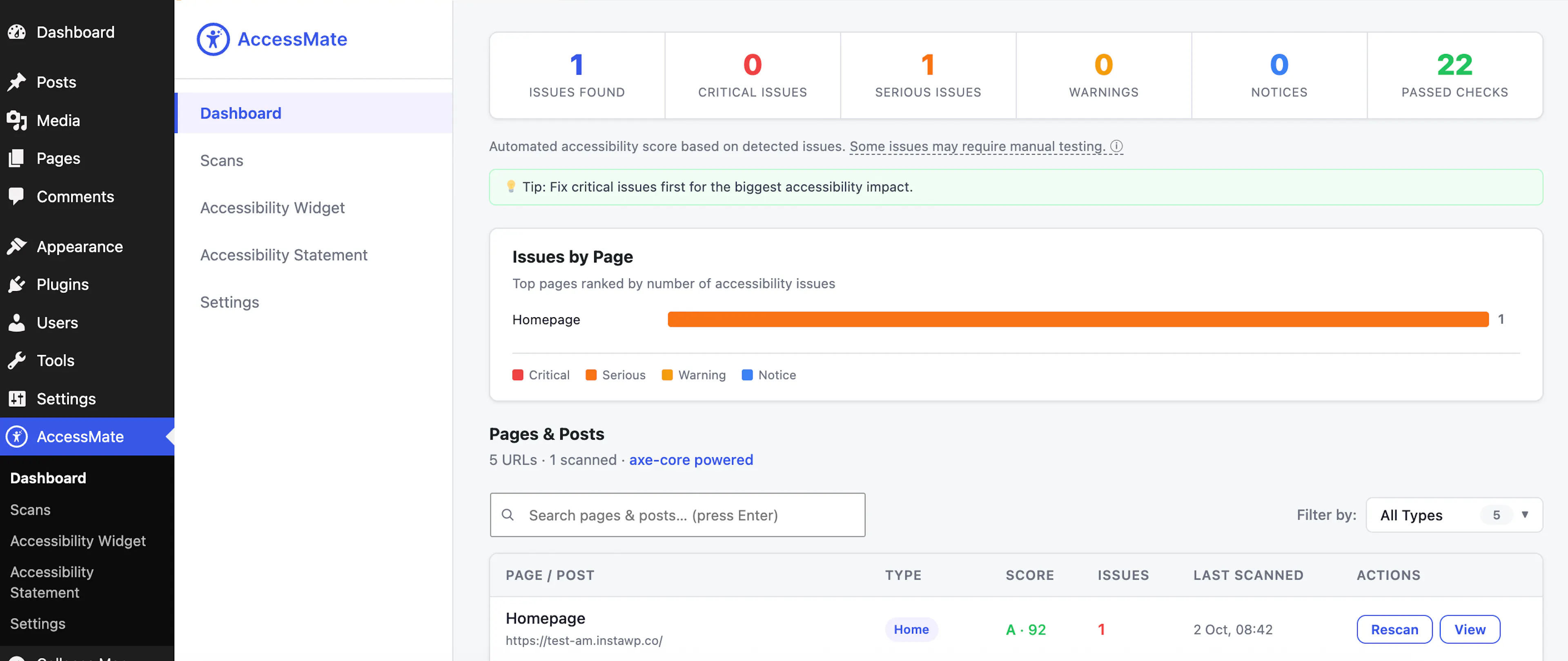
Dashboard
Gives site owners an at-a-glance accessibility overview — an overall score and letter grade, a breakdown across WCAG's four POUR principles (Perceivable, Operable, Understandable, Robust), and running totals of critical, serious, warning and notice issues across every scanned page. Opens by default when you click AccessMate in the WordPress admin menu. Stats update automatically after each scan; the "Issues by Page" chart (documented separately below) ranks the site's top pages by issue count.
Issues by Page
Ranks the site's pages by accessibility issue count directly on the Dashboard, so you immediately see which pages need attention first. Each bar shows a stacked breakdown of critical/serious/warning/notice issues for that page; clicking a bar opens that page's full issue list in a slide-in panel.
The homepage is always labeled "Homepage" rather than its raw domain or URL, matching how it's named throughout the rest of the plugin.
Pages & Posts
Discovers and lists every scannable URL on the site — homepage, blog index, published pages and posts, category archives, and custom post type content — in one table showing score, issue count, and last-scan date.
The list loads automatically; a search box and a content-type filter narrow it down. Each row shows a "Scan" or "Rescan" button for on-demand scanning.