Accessibility Widget
Help site visitors adjust the frontend experience to suit their accessibility needs with the AccessMate accessibility widget for WordPress.
Help visitors personalize their experience
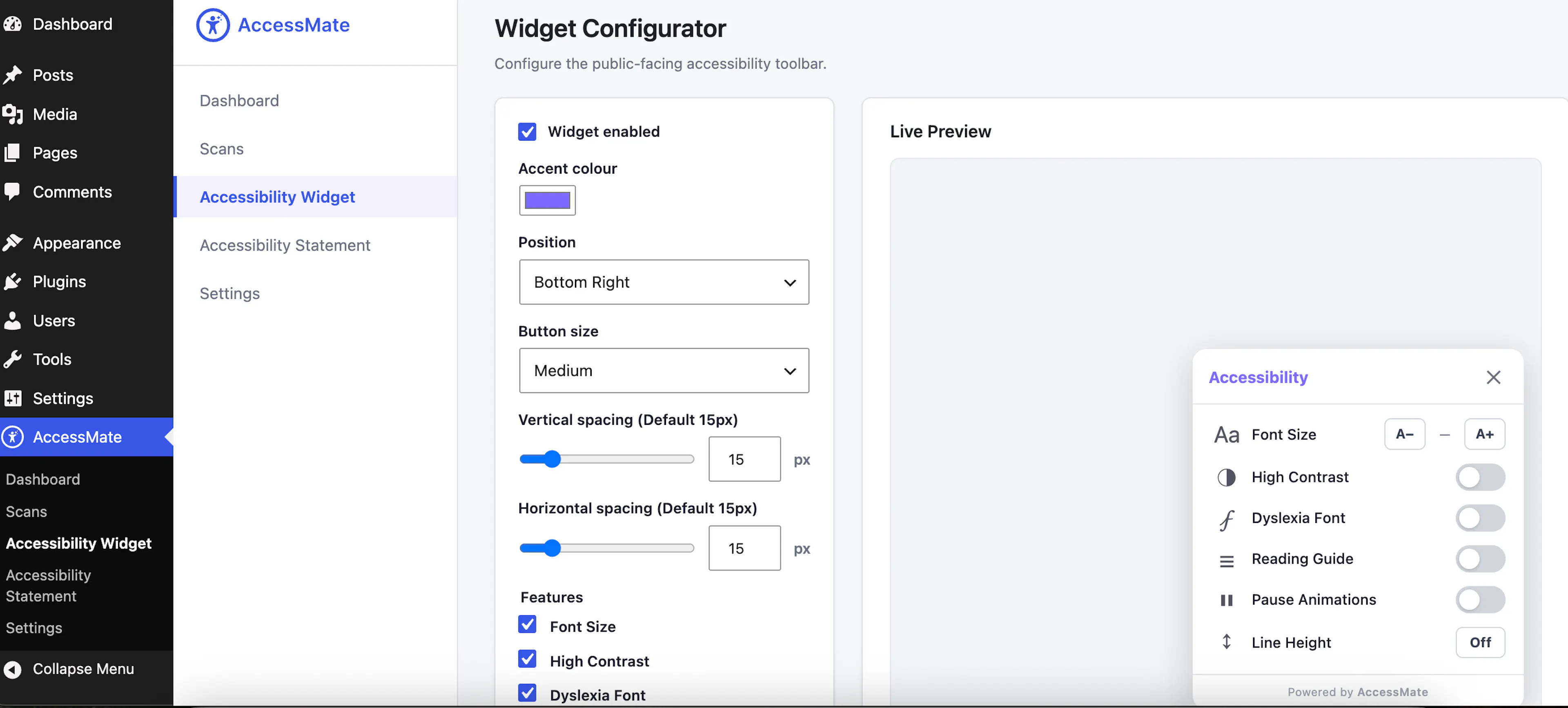
This is the piece that appears on the live site for regular visitors — not an admin tool, but an aid anyone browsing the site can use. It typically shows up as a small floating button that expands into a panel of adjustments people can toggle for themselves:
- Contrast adjustments (e.g. high contrast, inverted colors)
- Dyslexia-friendly font switching
- Font size scaling
- Other reading/navigation aids (cursor size, text spacing, reduced motion, etc.)
Each adjustment is self-contained — turning one on doesn't affect the other — so visitors can combine whichever settings suit them. Whatever a visitor chooses is remembered for their next visit, so they don't have to reconfigure the toolbar every time they come back to the site.
The site owner controls what the widget looks like and which of these features are even offered — position on the page, color/branding, and which toggles are enabled or hidden.